VAT returns in the Czech version
The VAT return feature in [!INCLUDE [prod_short](../../includes/prod_short.md)] lets you generate and submit VAT returns to the “Moje daně” portal. The lines on the VAT return are created based on the settings in the VAT statement. [!INCLUDE [prod_short](../../includes/prod_short.md)] verifies whether a regular VAT return was already created for the period. However, because there can be multiple corrective and other returns for a given period, this data isn't checked. This feature allows you to save the VAT return, and you have immediate access to it for future reference.
On VAT return lines, you must fill in the Mailbox No. field. Lines with the same mailbox number are generated into one VAT return line and, according to the parameterization of the VAT attribute code of the transferred VAT return line, the values are filled into the Basis, Amount, or Reduced Amount columns. You can print the generated return as a report.
Set up VAT reports
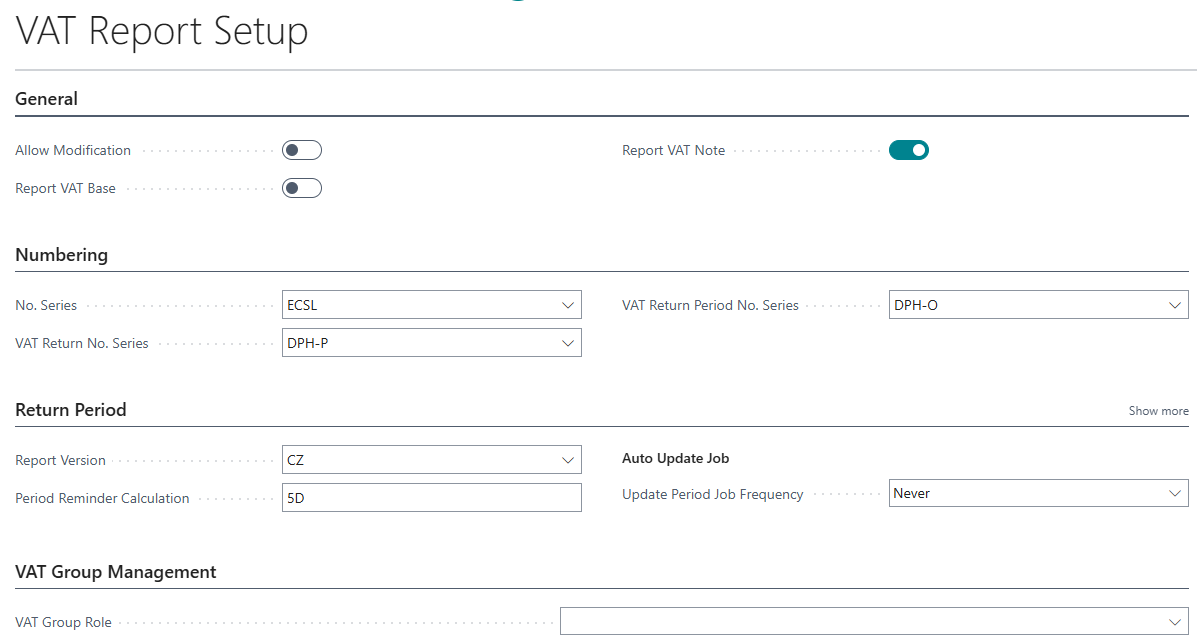
- [!INCLUDE[open-search](../../includes/open-search.md)], enter VAT Report Setup, and then choose the related link.
- Choose Report Version CZ.
Set up VAT return periods
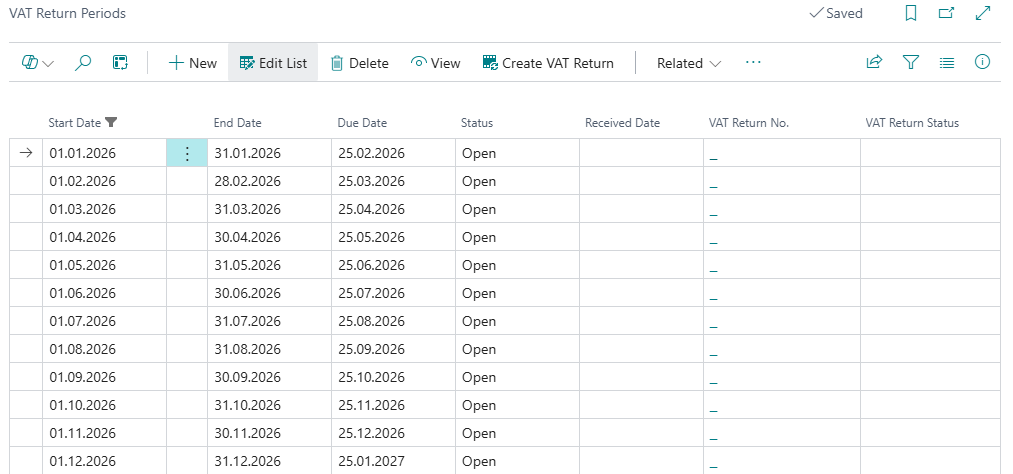
- [!INCLUDE[open-search](../../includes/open-search.md)], enter VAT Return Periods, and then choose the related link.
- On the VAT Return Periods page, fill in the fields to set up the first period. [!INCLUDE [tooltip-inline-tip_md](../../includes/tooltip-inline-tip_md.md)].
- Repeat step 2 for any other periods that you want to add.
Hinweis
We aligned VAT periods with Microsoft standard in the Czech version. See VAT Return Period for details.
Set up VAT Statement
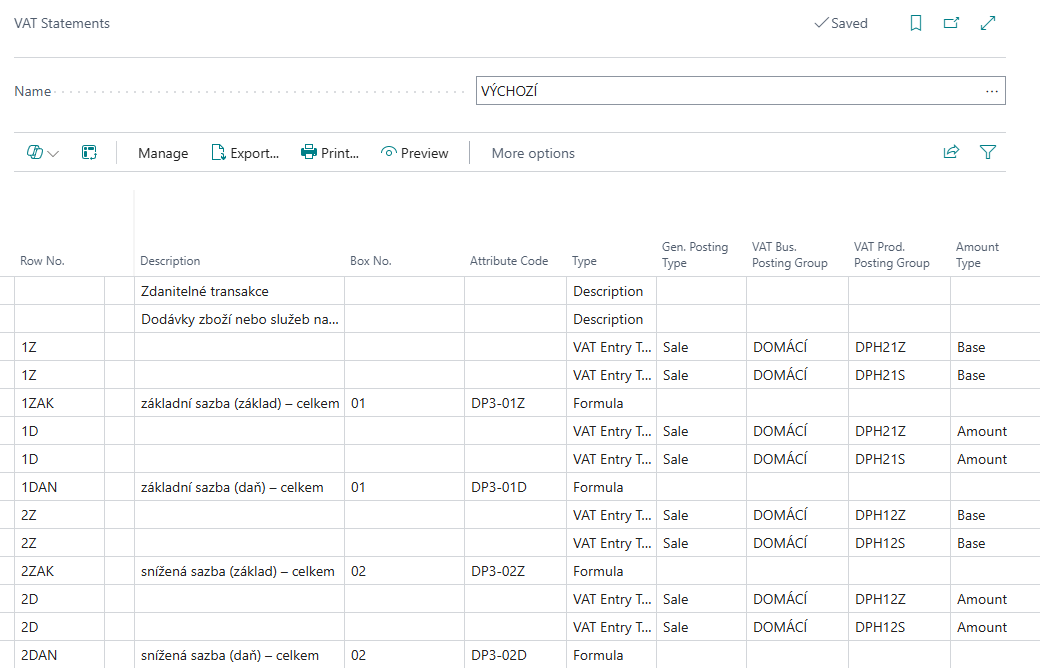
- [!INCLUDE[open-search](../../includes/open-search.md)], enter VAT Statement, and then choose the related link.
- Set Box Nos. and Attribute Codes in the VAT statement lines.
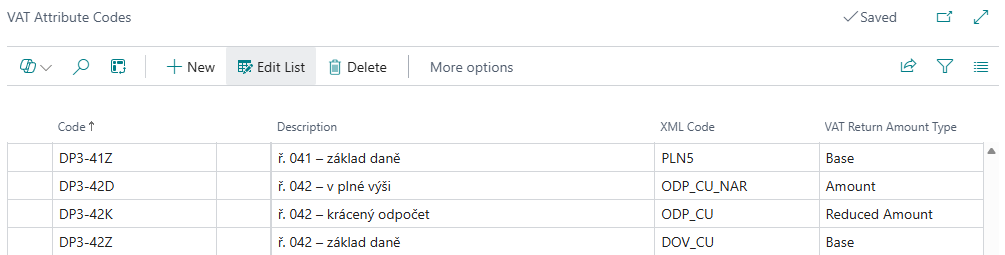
- You must define a VAT Return Amount Type (Base, Amount, Reduced Amount) on the VAT Attribute Codes page.
Prepare and submit a VAT report
- Choose the
 icon, enter VAT Returns, and then choose the related link.
 - Choose New, and then fill in the required fields. [!INCLUDE[tooltip-inline-tip](../../includes/tooltip-inline-tip_md.md)]
- Select the VAT report type, either Standard, Corrective, or Supplementary.
- Select Version - CZ and period.
- To generate the content of the report, choose the Suggest Lines action.
- To validate and prepare the report for submission, choose the Release action.
- To create XML, choose the Generate XML action.
- To submit the report, choose the Submit action.
- To mark VAT Return as Submitted, choose the Mark as Submitted action.
Hinweis
- The VAT Statement Lines page is enhanced with drill-down links in the Base, Amount, and Reduced Amount fields. These links allow you to open the VAT Statement Formula Drill-Down page. The data is filtered according to the attribute code on the given line, indicating whether it is the base, amount, or reduced amount.
- Previously, Czech legislation handled VAT with a functional currency only through the VAT statement. The VAT statement displays the VAT amount in either the local currency or another reporting currency. The VAT return now shows amounts in both the local and extra reporting currencies. It also generates files for submitting the VAT return with the correct amounts according to Czech legislation. This feature is part of the extended option for reporting VAT through VAT returns.
- To find the XML, see Attachments.
Related information
Core Localization Pack for Czech
Czech local functionality
VAT Control Report
VAT Date
VAT Return Period
Finance